What's in the export ZIP
Understand the folders and file names in an export, how redacted words are kept out of names, the Attached files page, and the summary and Schedule files.
Last updated About 4 hours ago
Every export arrives as one ZIP. This article explains what is inside it, how each file is named, and what RedactBox does to keep redacted words out of the names. Read it before you send a pack to a requester, so you can tell them how to open it.
What the ZIP holds
One PDF per message or document. A document with redactions is delivered as page images, so the covered text is removed, not hidden. Its name ends
_REDACTED. Documents with no redactions keep their text.Each attached file, beside its message, as a PDF in the same folder, when the project setting Include attached files in exports is on (it is for a new project). A spreadsheet comes back as a rebuilt
.xlsxinstead (spreadsheet redaction is in Beta), unless it was redacted on its PDF view._EXPORT_SUMMARY.txt, always: counts, failures, and anything left out._SCHEDULE_OF_REDACTIONS.csv, when Schedule of Redactions was ticked on the Export plan.A folder called
Files without their message, only when a kept file's message is not in this export. Files in it are named<original name> (<type>).pdf.
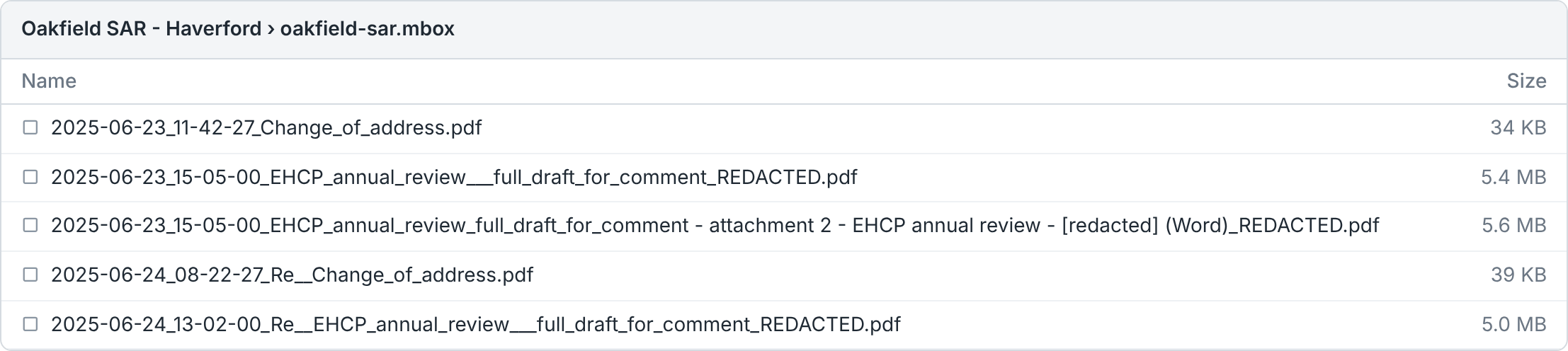
Folders
The Folder layout on the Export plan decides the top level. It starts with the project's Export defaults, and you can change it for one export.
Group by source (the default). One folder per uploaded file, named after it with spaces turned into underscores, for example
oakfield-sar.mbox/.Flat zip. Every PDF at the root of the ZIP.
How files are named
Messages and documents follow PDF file names on the Export plan: Date + Subject, Subject + Date or Internal ID. The subject keeps its letters and numbers; everything else becomes _, and it is cut at 50 characters. The date follows the project's Dates in exports and the Schedule setting. Two files that would share a name get _(2), _(3) and so on.
Attached files are named after their message, so they sort beside it:
<message> - attachment 1 - <original name> (Word).pdf
The number is the file's place on that message. Pictures in the message body count, so numbers can skip.
The words in brackets give the original type (Word, Excel, PDF, JPEG picture, Outlook message and so on), because every file is now a PDF.
_REDACTEDon an attached file means the file itself has redactions, not its message.A file on several messages is in the ZIP once, beside the first exported message that carries it (approved messages first, then the earliest). The Export screen and the Schedule list where else it was attached.
A spreadsheet goes out as
.xlsx(formulas replaced by their values, hidden content left out), named_REDACTED.xlsxonly when something in it was redacted.
Redacted words in names
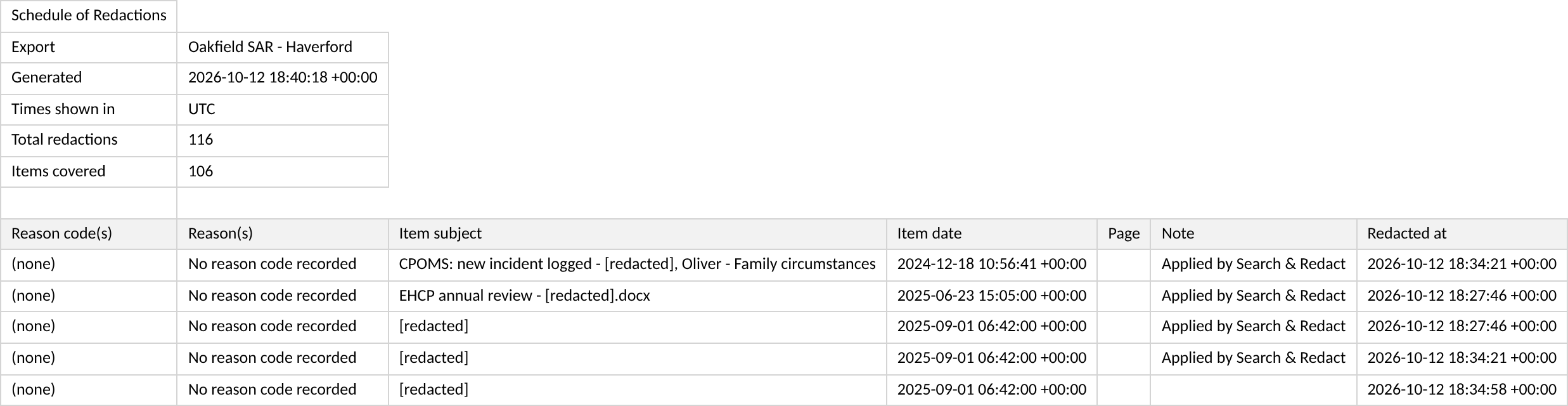
With the project setting Redact names in exports turned on (it is off by default), every redacted word is replaced with [redacted] in file names, folder names and the subjects in the Schedule. That covers terms from Search & Redact, word lists and People, and any text redacted in that document. Case, spaces and underscores do not matter: "Maisie Haverford" is caught in Maisie_Haverford_EHCP.docx.
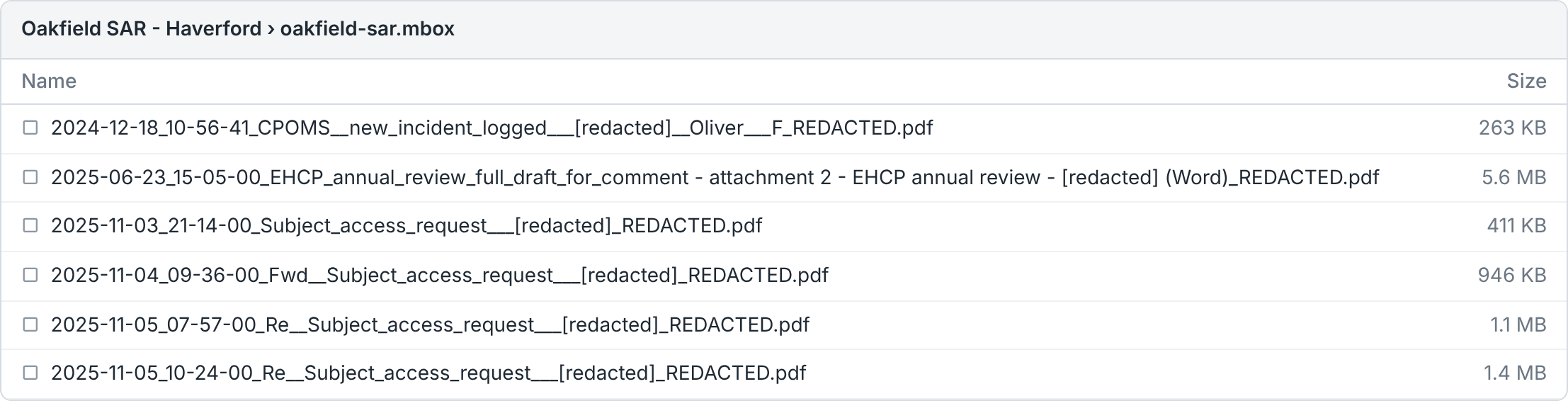
Some names are withheld instead of masked, because a mask cannot be trusted there:
A word of a hand-made redaction is still in the name. You redacted a whole table row, say, and one surname from it is in the subject.
The file has spreadsheet cell redactions, which record where, not what.
A withheld document is named Document_<id> (for example Document_48213_REDACTED.pdf). A withheld attached file keeps only its number and type, as in … - attachment 2 (Excel)_REDACTED.xlsx. A folder becomes Folder, and a Schedule subject becomes [redacted] whole. If RedactBox cannot load the project's terms, every name built from your data is withheld.
With Redact names in exports off, file names, folder names and Schedule subjects keep their original wording. The Export plan says Names in this export won't be redacted. before you start, and the summary says so. Check the names before you send the pack, or ask the project owner to turn the setting on in Project settings.
Tip: boxes drawn with Area Redaction hide only what is under them. If that name is also in a subject or file name, redact it there too.
The Attached files page
A message whose attached files are in the ZIP gets a closing page, Attached files. It lists each file by its exact name in the ZIP, so the reader knows which file is which. A file that is not in the ZIP is not listed.
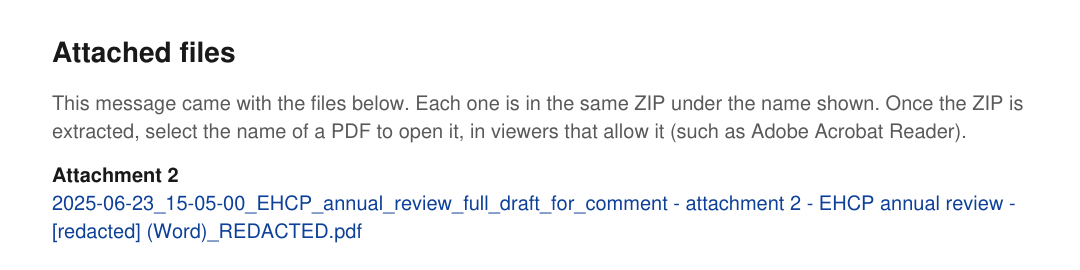
Each PDF on the list is also a link to that file. The links work only once the ZIP is extracted, and only in viewers that allow them:
Adobe Acrobat Reader and Firefox follow them. Acrobat may ask once whether to trust the document.
Apple Preview follows links to PDFs only.
Chrome and Edge's built-in viewers do not. The printed name is the way there.
A rebuilt .xlsx is listed by name, with no link.
Redaction boxes
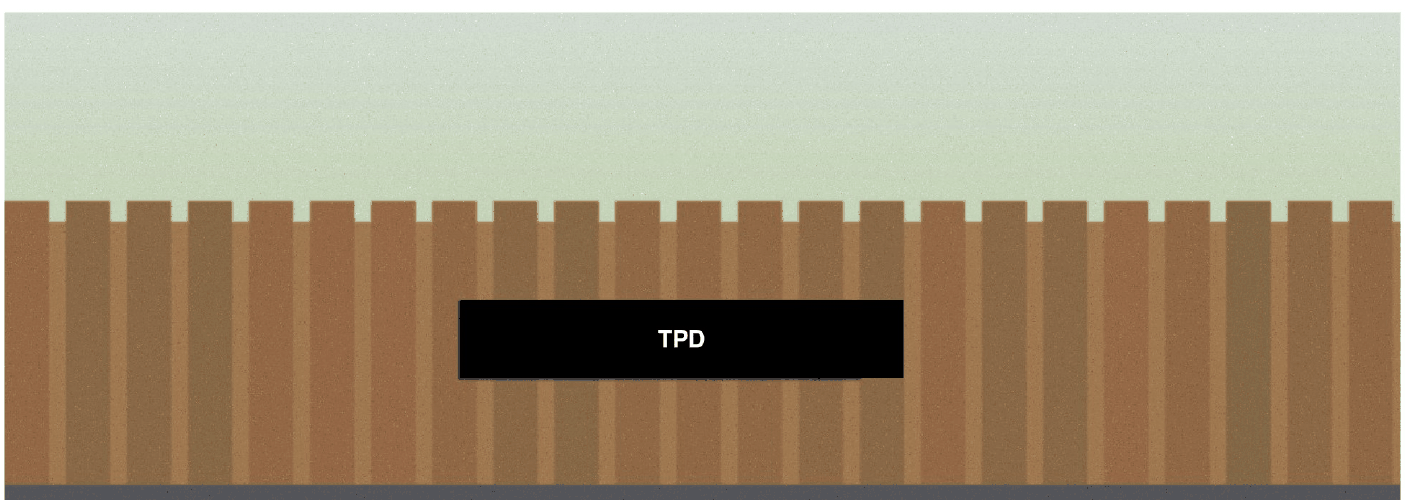
The project setting How redactions look in the export picks Solid black or Black with the reason code. With the reason code, each box shows its code in white where it fits. The text under every box is removed either way.
The summary and the Schedule
_EXPORT_SUMMARY.txt gives the export date, how many documents succeeded and failed, the pages to check by eye, and under ATTACHED FILES how many files are not in the ZIP and why. It gives counts only, never file names: the names are on your Export screen (see Checks before an export goes out).
_SCHEDULE_OF_REDACTIONS.csv lists every redaction with its Reason code(s), Reason(s), Item subject, Item date, Page, Note and Redacted at, after a summary by reason code. It never names who redacted, and never the redacted text.
Example: sending a SAR pack
Export the approved items with Group by source and the Schedule ticked.
Open the ZIP yourself. Check that the pupil's name reads
[redacted]in every file name, and open any pages the export card asked you to check by eye.In your covering letter, tell the requester to extract the ZIP first and to open the PDFs in Adobe Acrobat Reader, so the links on each Attached files page work.
Was this helpful?
Still need help? Ask the team