Auto-Redact
Redact multiple instances of words or phrases
Last updated 9 months ago
Auto-Redact is a feature that accelerates the redaction process in large email chains and individual emails.
The general principle is that if you need to redact a name across an entire email chain, you do not have to find each instance. RedactBox does this for you.
How to turn it on?
To enable Auto-Redact, ensure you are in Redact Mode.
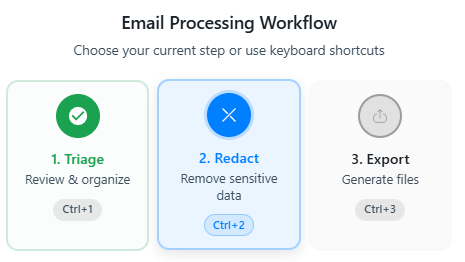
Open an email that you have triaged and find the toolbar.
Click Auto-Redact
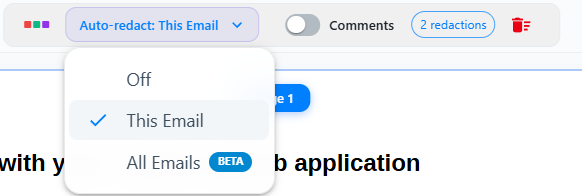
Off: This allows you to redact singular words and will not attempt to find other instances of what you redact.
This Email: This email will attempt to find matching words or phrases that you redact within the email or document you are currently in.
All Emails: This will attempt to find matching words or phrases that you redact within all emails or documents within the file currently selected in the sidebar.
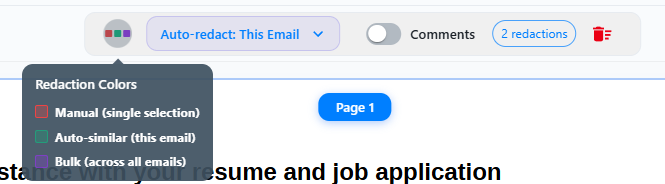
If you have a lot of the same word in an email, for example, a name. You will see the number of redactions in the toolbar, as shown below.

Different colours show the different types of redactions:
Removing or editing Auto-Redactions
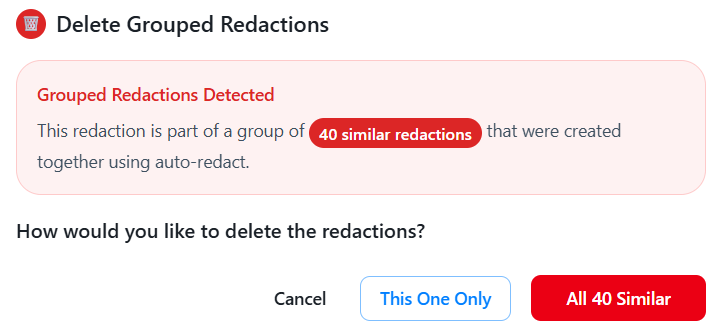
When you attempt to remove an auto-redaction, you will be asked if you want to remove just the one redaction or all of them.
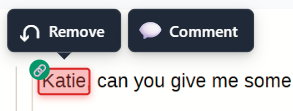
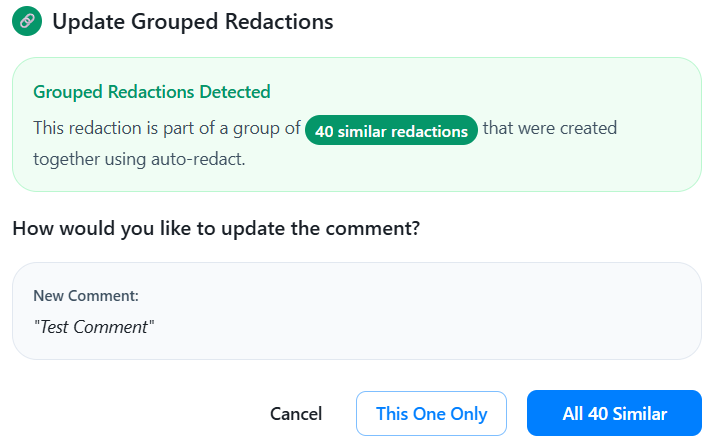
The same will happen with comments.
Was this helpful?
Still need help? Ask the team